How an LED Display Works
A wall of thousands of tiny lights that never seem to blink — how driver chips scan the rows, flicker each red/green/blue die faster than you can see, and blend three fixed colors into every shade on screen.
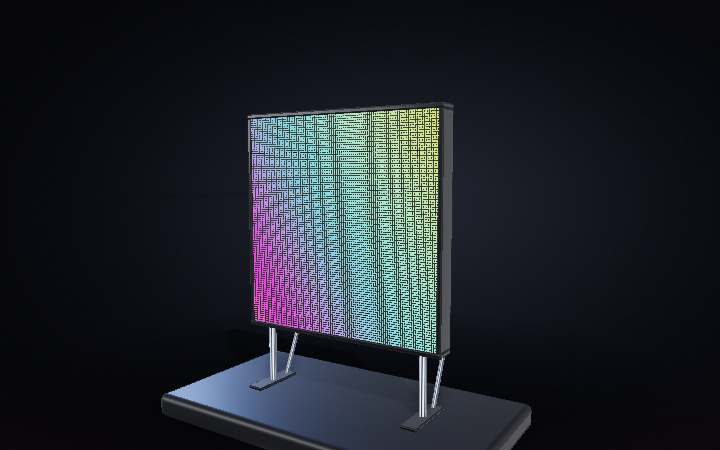
Step 01 of 08
1 · A wall of tiny lights
This is a modular LED video wall — four cabinets, each packed with a grid of pixel modules. There is no backlight and no LCD layer: every pixel is its own tiny light source, so the image looks bright and punchy from any angle.
Step 02 of 08
2 · Seams you can barely see
Push in close and the picture dissolves into its parts: a dense grid of individual pixels, each one a self-contained red/green/blue package about ten millimetres across. Modules butt up edge-to-edge — the join between them is a hairline, not a border.
Step 03 of 08
3 · Front-serviceable
Modular cabinets like this one are built to be repaired from the front. A module is held on with blind-mate contacts, not a cable — pull it straight off and it disconnects cleanly, exposing the cabinet frame and the electronics normally hidden behind it.
Step 04 of 08
4 · What is behind a pixel
Flip the module around and the front face turns out to be the simple side. The back carries the driver ICs that switch every LED, a handful of filter capacitors, and the blind-mate connector — no ribbon cable, no cage of wires, just contacts that meet the cabinet frame.
Step 05 of 08
5 · Rows scanned in turn
The driver ICs cannot light all 256 pixels in a module at once — they scan it a few rows at a time, cycling through every group thousands of times a second while data for the next row shifts in behind them. It happens far faster than your eye can follow.
Step 06 of 08
6 · Three colors, every shade
Each pixel only ever makes red, green, or blue light — there is no fourth color. Every shade you see is the driver rapidly varying how long each of the three dies stays on; too close together and too fast to separate, so your eye blends them into one mixed color.
Step 07 of 08
7 · Feeding the wall
Behind every cabinet sits a receiving card that takes in a stream of frame data and power, then distributes it to each module in turn. Cabinets daisy-chain from one to the next, all the way back to a video processor slicing the source picture into per-cabinet pieces — around sixty times a second.
Step 08 of 08
8 · One seamless picture
The module is back on its contacts and rejoining the scan. Step back and every trick disappears — thousands of individually switched dies, scanned row by row, PWM-dimmed thousands of times a second, reading as one smooth, seamless picture.